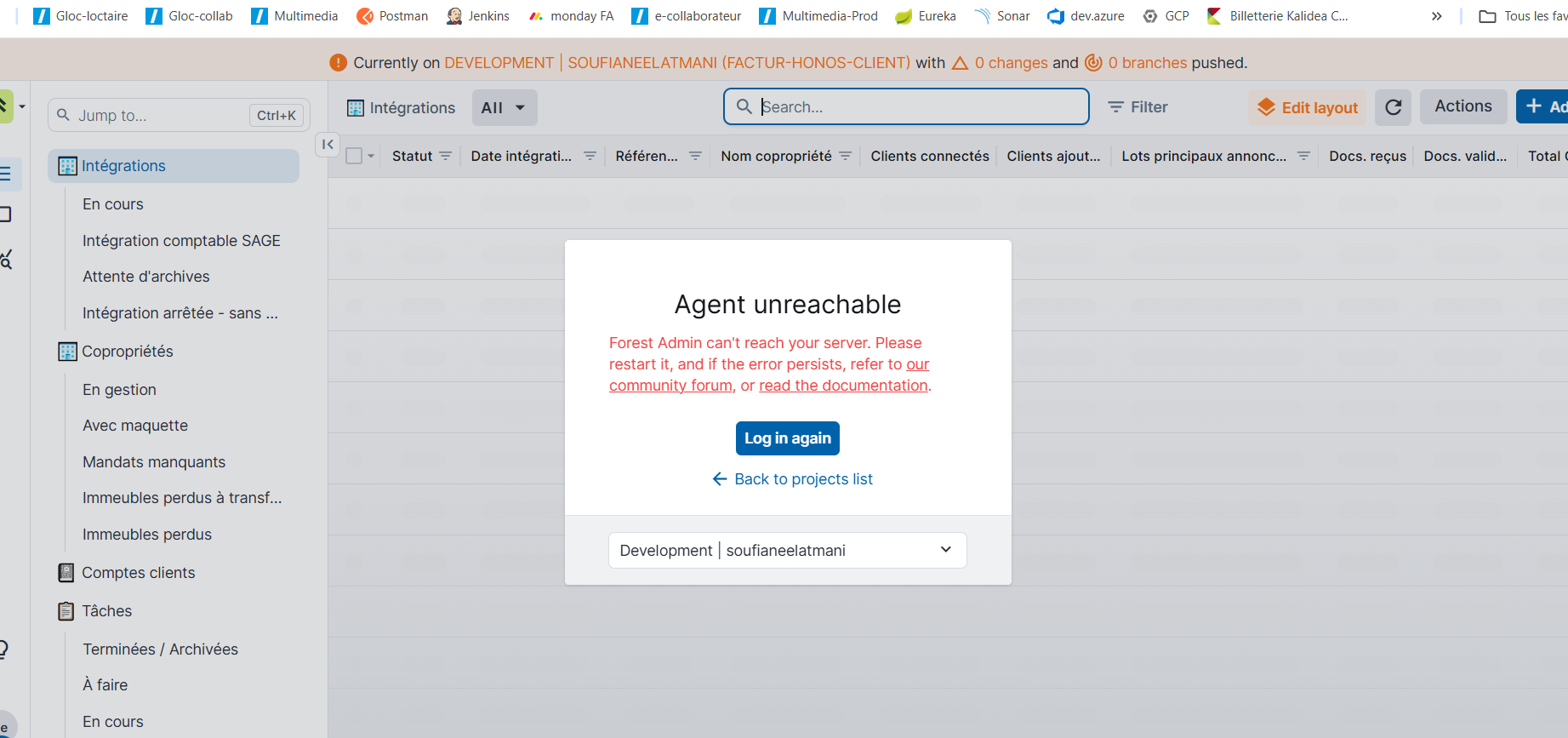
Feature(s) impacted
Observed behavior
Expected behavior
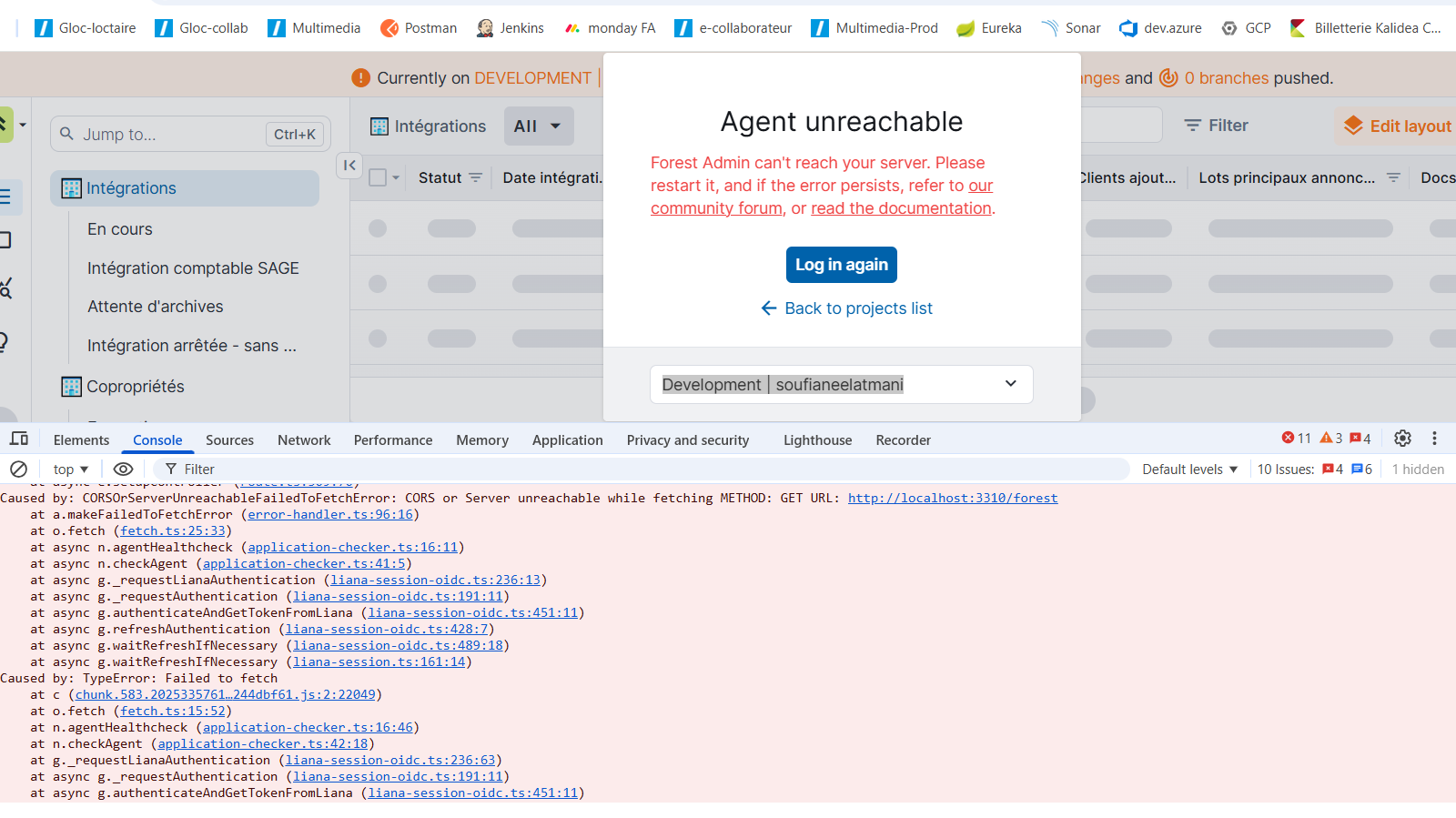
Failure Logs
Context
Project name: .Sergic
Team name: gestion
Environment name: Développement
Agent (forest package) name & version: 9
Database type: Postgres
Recent changes made on your end if any: upgrade to v9
And, if you are self-hosting your agent:
Hello @Soufiane,
Do you have any logs in your agent that you can share ? Could you open devTools in Chrome and share the calls being made that result in a failure ?
Thnaks Dogan for your feedback:
Do you have any logs from your agent, can you confirm that it is currently running on your machine at the specified port of localhost:3310 ?
As there is no log related to the routes being called on your agent, it suggests that the calls from your browser does not reach it.
Can you do a curl http://localhost:3310/forest ?
This could either be coming from a CORS misconfiguration: do you confirm that you have a proper CORS configuration on your agent like so Upgrade to v7 | Developer Guide as well as
app.use(function (req, res, next) {
  if (req.headers["access-control-request-private-network"]) {
    res.setHeader("access-control-allow-private-network", "true");
  }
  next(null);
});
Or related to your browser which could be prohibiting calls to your localhost:
- can you try in private navigation with all extension disabled
- on another browser
Having the exact error message shown in the devTools for the preflight request would help us diagnose this issue better
Hello,
I’m currently experiencing the same issue. My development environment was working fine last week, but this week it’s no longer functioning.
My agent is indeed listening (on http://0.0.0.0:5001), and it has the following configuration:
app.use((req, res, next) => {
  if (req.headers['access-control-request-private-network']) {
    res.setHeader('access-control-allow-private-network', 'true');
  }
  next(null);
});
Locally, when I run the following command:
curl -i -H "Origin: https://app.forestadmin.com" http://127.0.0.1:5001/forest
I get the result:
HTTP/1.1 204 No Content
X-Powered-By: Express
Access-Control-Allow-Origin: https://app.forestadmin.com
Vary: Origin
Access-Control-Allow-Credentials: true
Date: Tue, 04 Nov 2025 09:01:38 GMT
Connection: keep-alive
Keep-Alive: timeout=5
And here’s the error I get in my Chrome console (in private navigation mode):
application-checker.ts:45 Uncaught (in promise) AgentError: Your agent is unreachable
    at n.checkAgent (application-checker.ts:45:16)
    at async g._requestLianaAuthentication (liana-session-oidc.ts:236:13)
    at async g._requestAuthentication (liana-session-oidc.ts:191:11)
    at async g.authenticateAndGetTokenFromLiana (liana-session-oidc.ts:451:11)
    at async g.refreshAuthentication (liana-session-oidc.ts:428:7)
    at async g.waitRefreshIfNecessary (liana-session-oidc.ts:489:18)
    at async g.waitRefreshIfNecessary (liana-session.ts:161:14)
    at async d.subscribeToEvent (feature.ts:41:3)
    at async e.setupController (route.ts:309:70)Caused by: CORSOrServerUnreachableFailedToFetchError: CORS or Server unreachable while fetching METHOD: GET URL: http://127.0.0.1:5001/forest
    at a.makeFailedToFetchError (error-handler.ts:96:16)
    at o.fetch (fetch.ts:25:33)
    at async n.agentHealthcheck (application-checker.ts:16:11)
    at async n.checkAgent (application-checker.ts:41:5)
    at async g._requestLianaAuthentication (liana-session-oidc.ts:236:13)
    at async g._requestAuthentication (liana-session-oidc.ts:191:11)
    at async g.authenticateAndGetTokenFromLiana (liana-session-oidc.ts:451:11)
    at async g.refreshAuthentication (liana-session-oidc.ts:428:7)
    at async g.waitRefreshIfNecessary (liana-session-oidc.ts:489:18)
    at async g.waitRefreshIfNecessary (liana-session.ts:161:14)Caused by: TypeError: Failed to fetch
    at c (chunk.583.202533576113244dbf61.js:2:22049)
    at o.fetch (fetch.ts:15:52)
    at n.agentHealthcheck (application-checker.ts:16:46)
    at n.checkAgent (application-checker.ts:42:18)
    at g._requestLianaAuthentication (liana-session-oidc.ts:236:63)
    at async g._requestAuthentication (liana-session-oidc.ts:191:11)
    at async g.authenticateAndGetTokenFromLiana (liana-session-oidc.ts:451:11)
Here are the packages used:
"forest-express": "^10.6.6",
"forest-express-sequelize": "^9.6.0",
Hello @FlorianByl
Thanks for reaching out and sharing a detailed investigation,
Based on the information shared, I suspect that this might be related to your browser, can you try as well:
- in private navigation with all extension disabled
- on another browser
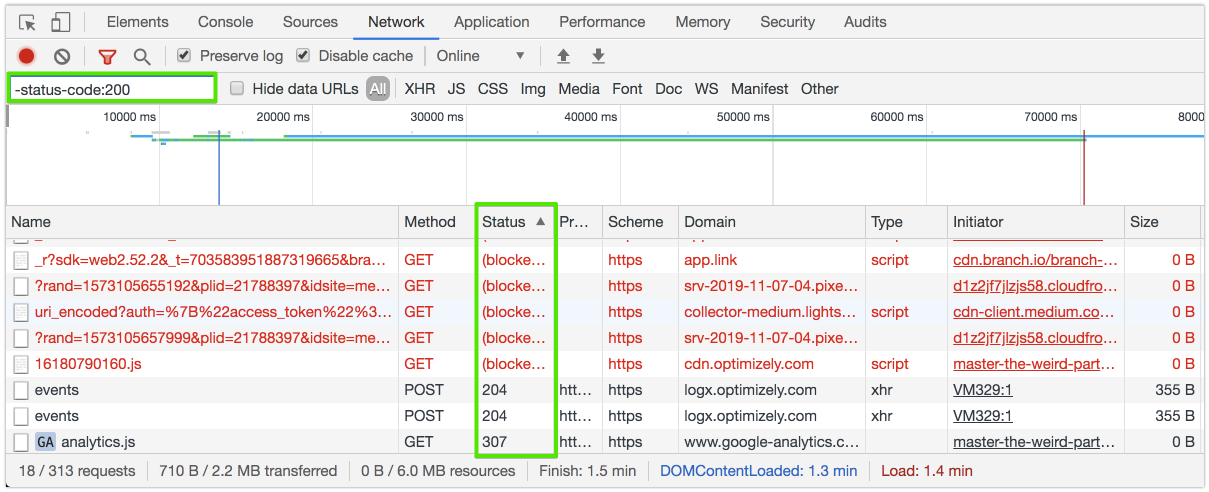
Sharing the content of the error given by the network tab in devTools can also help further pinpoint the issue:
There is a new permissions in chrome that you might have missed/dismissed at some point, can you look if you have given the local network access permission to app.forestadmin.com ? New permission prompt for Local Network Access | Blog | Chrome for Developers
Good catch @anon7284711 — indeed, the issue was caused by this new Chrome security feature that now requires permission to access the local network. Once the permission is granted, it works fine.
Thanks a lot!
What steps need to be taken to obtain authorization?
You can grant the permission directly from your browser.
If you’re using Chrome, the various permissions requested by a site should appear under a small icon to the left of your address bar. Otherwise, you can also manage them from your browser’s settings.
I found this youtube video where you should find the answers you need.
Hello @Soufiane, were you able to access your local environment after changing permissions in your browser, or are you still stuck ?